Shopping that stays on track

Plan the list.
Own the shop.

Build a budgeted list, capture product details from shelf tags and receipts, then review what you spent—all in one focused iPhone app.

  • Budgeted lists
  • Unlimited scans with Premium
  • Weekly and monthly stats
ShopBud app icon
ShopBud Your shop, finally on track.
Active list14 products
$
List budget$165 planned
July overview$220.41 spent
Inside the app

Clear when you plan.
Focused when you shop.

Real screens captured from ShopBud Premium using its built-in demo shopping data.

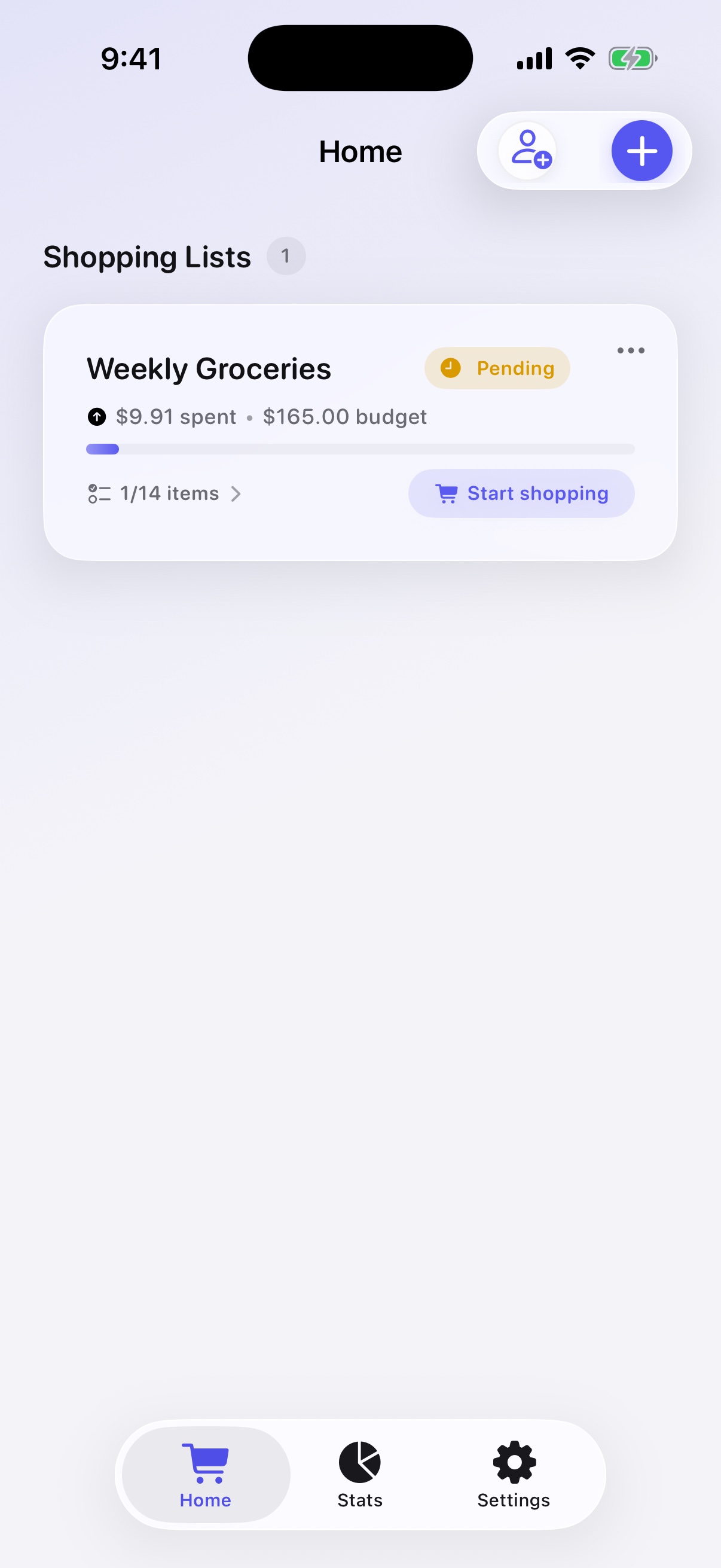
ShopBud Home showing a Weekly Groceries list with its spending, budget, and progress
01

Plan with a budget

See list progress, spending, and the remaining shop at a glance.

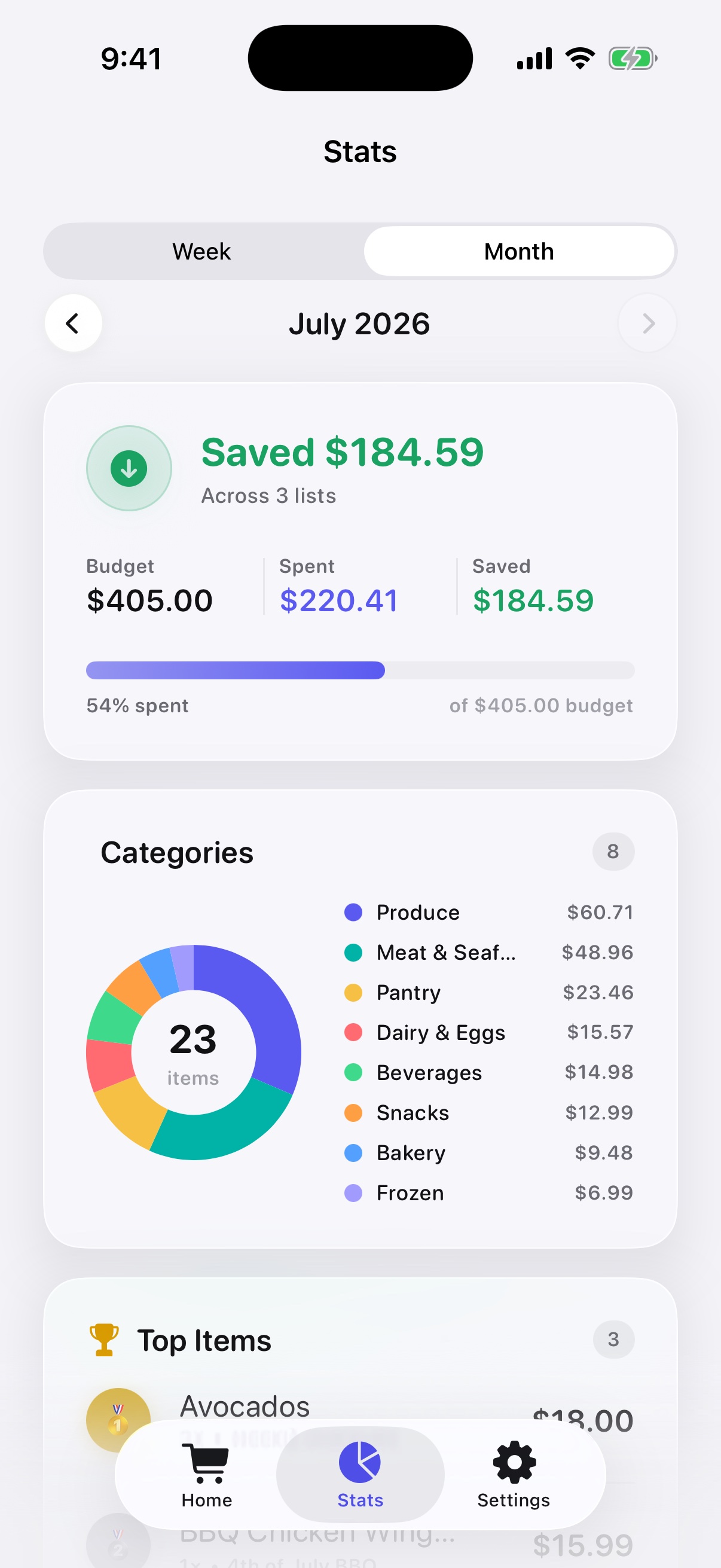
ShopBud Premium Stats showing the July budget, spending, saved amount, and category spending
02

Review completed shops

Compare budgets and spending, with category insights available in Premium.

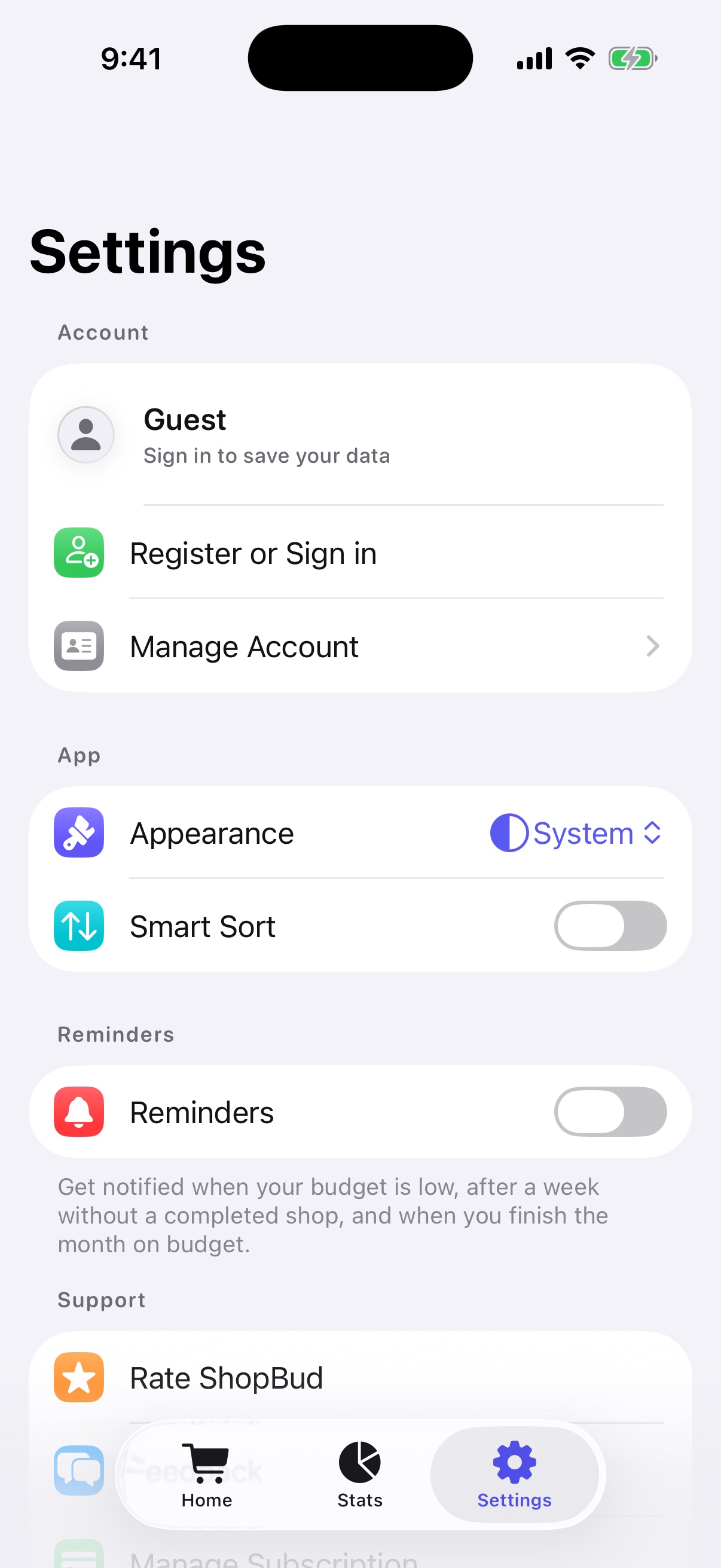
ShopBud Premium Settings showing account, appearance, Smart Sort, and reminder controls
03

Make it yours

Manage your account, appearance, Premium Smart Sort, and reminders.

What ShopBud does

Tools for Planning, Shopping, and Review

ShopBud keeps product entry, list progress, budgets, and completed-shop totals together.

01

Receipt Scanning

Scan a paper receipt or import receipt photos or a PDF. Review detected products, quantities, prices, tax, and discounts before saving.

02

Shelf Tag Capture

Scan a shelf label to detect its product and current price, plus a regular price, promotion details, and barcode when available.

03

Budgeted Lists

Create lists, add products by typing or dictation, set quantities and prices, and compare the estimated total with your budget.

04

Optional Reminders

Turn on notifications for a low list budget, a week without a completed shop, and a month completed within budget.

05

Cached List Access

Previously loaded lists remain available from the device cache, and list changes can queue while offline. AI-assisted scanning requires a connection.

06

Account and Data Controls

Use a guest account or sign in with Apple or Google. Registered users can delete their shopping lists and account from Settings.

Support when you need it

Need help with ShopBud?

Find clear answers for scanning, offline access, subscriptions, and list sharing.

Visit Support